AI database reactivation for dental equipment sales
In this piece
Your next equipment conversation may already be in your CRM. Revisit stalled quotes, old demos and trade-show enquiries with AI calls, then give your reps current buying context and a clear next step.
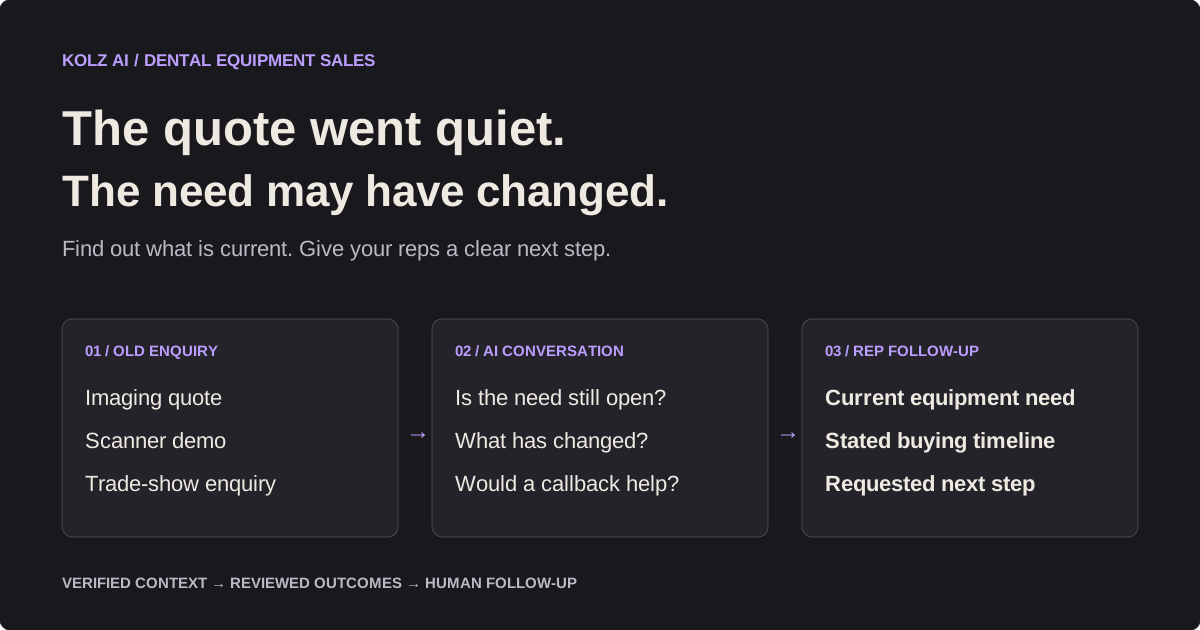
An imaging quote goes quiet. A practice sees your scanner demo, then postpones the purchase. A trade-show enquiry reaches the CRM but never gets a useful follow-up. Months later, your team still knows what the practice wanted then, but not what it needs now.
AI database reactivation for dental equipment sales means calling previously engaged business contacts to establish whether an equipment need is still open and agree a next step. The aim is a better follow-up queue: updated requirements, real timing and people who want to speak with a rep.
Explore the Kolz reactivation workflow or test your agent with 100 free minutes. New accounts receive the free minutes after phone verification.
Why equipment enquiries go quiet
A capital purchase involves more than interest in a product. A practice may need financing, installation planning, a partner's approval or time to compare alternatives. An office remodel can move the decision. A group purchasing team may need to approve the supplier before an individual practice can proceed.
That makes the reason for silence worth checking. The buyer may have purchased elsewhere, postponed the project or changed the requirement entirely. AI can repeat that initial conversation across a prepared list, while your equipment specialists handle demonstrations, technical evaluation and commercial decisions.
Keep equipment sales separate from patient recall. A practice buying a scanner is a different buyer and sales process from a patient booking treatment. Patient reactivation case studies do not establish a conversion benchmark for equipment campaigns.
Start with a segment you can explain
Choose contacts with a verified previous enquiry and permission appropriate to the proposed outreach. A badge scan, an old quote or a purchased contact record does not by itself establish permission for an AI call.
| Segment | Context to preserve | Useful first question | Rep follow-up |
|---|---|---|---|
| Expired imaging quotes | Equipment requested and quote date | Is the imaging project still being considered? | Review specifications and current pricing |
| Stalled scanner demos | Demonstrated product and contact's role | Is the scanner evaluation still open? | Arrange a technical discussion |
| Trade-show enquiries | Event and documented enquiry | Is the equipment you discussed still relevant? | Confirm requirements before offering a demo |
| Deferred chair or surgery upgrades | Planned project and previous timing | Has the renovation or expansion timetable changed? | Revisit installation requirements |
| Previous service enquiries | Verified service request | Would you like the service team to follow up? | Route to a service specialist |
Use actual quote and product records for deal values. Equipment configuration, software, training, installation and service can change the total substantially. A broad industry price range is a poor substitute for a current opportunity value.
For the first pilot, use one equipment category and one enquiry type. Keep list preparation manageable and leave enough time for your team to review every conversation.
Ask the right buyer the right question
For a dentist-owner, the first useful question may be whether the project is still planned. For an office manager, it may be who now handles equipment purchasing. For a multi-location group or dental service organization (DSO), it may be whether the requirement is local or part of a central procurement process.
Do not assume that a location manager can approve a group purchase. Capture their role, the relevant locations and the requested next step. Your rep can then navigate the buying process with current information.
Avoid turning the call into an interrogation. Ask one question, wait, and follow the answer. Only collect budget or timing information when the contact is willing to discuss it.
From old enquiry to clear next step
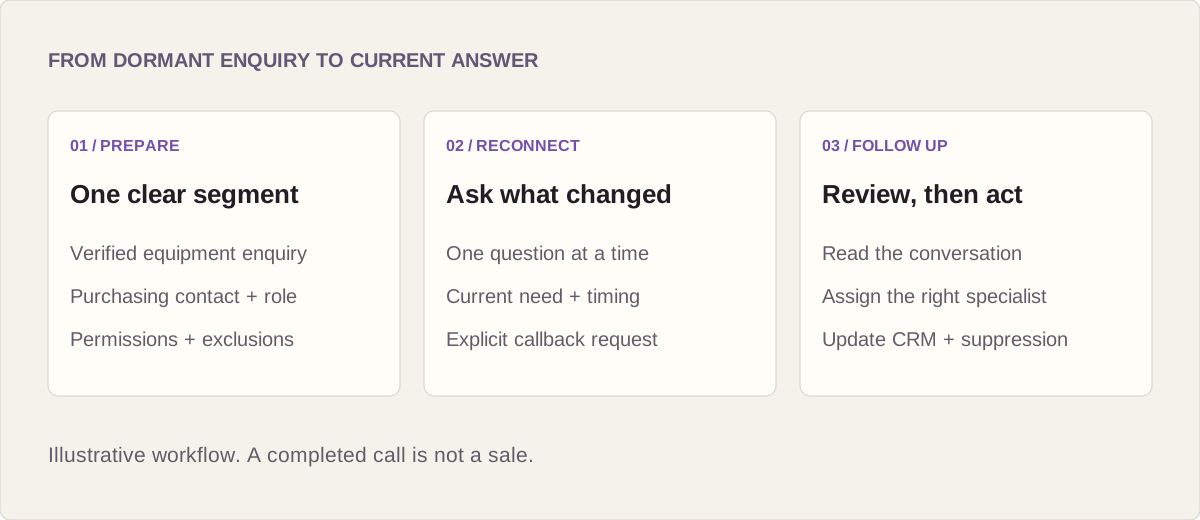
- Prepare. Export one segment as CSV or Excel. Remove duplicates and suppressed contacts. Keep the practice, purchasing contact, verified equipment enquiry and last interaction in your working records. Map only supported fields into the current Kolz upload template.
- Test. Configure the agent with accurate business context and approved product information. Test a purchasing contact, a gatekeeper, a busy practice, a wrong number and an opt-out before launching.
- Run and review. Review scored outcomes, summaries, recordings and transcripts. Assign requested callbacks and update your CRM using the supported export/import process.
Scores help prioritize review; the conversation establishes what the buyer actually said. A completed call is not automatically an interested lead, and a callback request is not a completed sale.
| What the contact says | Review outcome | Next action |
|---|---|---|
| "We want to revisit the imaging quote." | Requested callback | Assign a rep with the equipment context |
| "We now need a scanner instead." | Requirement changed | Update the record and confirm the right specialist |
| "Our budget review is in January." | Later | Record the stated timing and agreed follow-up |
| "We bought another system." | Prior enquiry closed | Close that enquiry; discuss other needs only if invited |
| "Please stop calling." | Opt-out | End the call and suppress further outreach |
| No answer or unclear response | Unknown | Retain the uncertainty; do not claim renewed interest |
These are illustrative outcomes, not measured campaign results. Verify the suppression process before launch and carry exclusions into later imports.
Campaign results from the published Kolz output
Kolz's published output example records 1,000 ended call rows, with 275 marked answered: a 27.5% answered-row rate. The campaign output example provides an operational reporting reference. It is not confirmed as a dental equipment campaign, so these figures are not a dental conversion benchmark.
| Recorded call result | Rows | Share of 1,000 ended rows |
|---|---|---|
| Answered | 275 | 27.5% |
| Voicemail | 517 | 51.7% |
| Not answered | 149 | 14.9% |
| Cut short | 59 | 5.9% |
The output contains 846 rows with transcripts and scores. Transcript coverage is a separate measure from answered-call status. Neither a score nor a transcript proves purchasing interest. Rows also do not establish unique people; repeat attempts must be matched to contact records before calculating contact-level rates.
The published output has no confirmed interest, success or sales outcome fields. It cannot verify callbacks, quotes, recovered dental equipment revenue or ROI. In your own pilot, add reviewed outcomes and completed human follow-up to the operational report, then match verified sales using a defined reporting window.
Model the cost without inventing revenue
Separate calling usage, staff time and sales results. The following is an illustrative model, not a dental customer case study:
| Input | Assumption |
|---|---|
| Unique contacts attempted | 1,000 |
| Contacts answering | 250, assuming a 25% answer rate |
| Average connected conversation | 2 minutes |
| Connected conversation minutes | 500 |
| Conditional example usage rate | $0.03 per minute, only if offered by your selected pack |
| Modeled connected-call usage cost at that example rate | $15 |
The conditional calculation is 250 conversations × 2 minutes × $0.03 = $15. If total billable usage instead reaches 1,000 minutes, usage at that example rate would be $30. These are modeling assumptions, not a universal rate or campaign quote. Replace $0.03 with the applicable rate for your selected pack. Actual billable usage can differ from connected conversation time; use billing records and the current pack terms. Check current pricing for available packs and rates.
Add preparation, review and follow-up time to calculate the full campaign cost. For example, one hour of setup plus 30 seconds of review for each of 250 conversations is about 3.1 staff hours before rep callbacks. Reviewing all 1,000 attempted-contact results at 30 seconds each instead takes about 9.3 hours including setup. The review denominator matters.
Reopened pipeline is also different from revenue. If, purely as a scenario, 20 contacts request a quote and each resulting opportunity is valued at $25,000, that represents $500,000 of quoted pipeline. It establishes neither a close rate nor recovered revenue. Track actual quotes, verified sales and gross profit separately before reporting ROI.
Use the reactivation campaign calculator with your own assumptions and reconcile the model against a pilot.
A sample dental equipment agent prompt
Adapt the following to verified records and your actual handoff process. Replace every bracketed field before testing. These are writing placeholders, not a promise of automatic field substitution.
ROLE
You are [agent name], an AI assistant calling for [supplier].
Your job is to establish whether a verified equipment enquiry is
still relevant and record an agreed next step for the sales team.

CONTEXT
Practice: [verified practice name]
Purchasing contact: [verified contact name and role]
Previous enquiry: [verified equipment category and enquiry date]
Approved information: [current product facts supplied by the team]
Handoff: [actual rep callback process]

OPENING
Introduce yourself as an AI assistant for [supplier]. Confirm the
right purchasing contact before mentioning the previous enquiry.
Ask whether this is a convenient time for a brief question.

CONVERSATION
Ask one short question per turn, then wait for the answer.
Reference only the verified enquiry. Ask whether it is still open.
If relevant, ask what changed and whether there is a target date.
Offer a rep callback only if the contact wants one. Record their
stated equipment need, preferred timing and requested next step.
Do not claim a quote, demo or appointment has been booked unless
the configured workflow confirms that action.

BOUNDARIES
Do not discuss patient information or provide clinical advice.
Do not invent prices, financing terms, discounts, deadlines,
compatibility assurances, FDA status or clinical performance claims.
Send questions outside the approved facts to the equipment specialist.
If busy, offer to end or record a preferred callback time.
If declined, end politely. If asked to stop, end immediately and
flag the opt-out for the team's suppression process.
For a wrong person, do not disclose additional enquiry details.

REVIEW OUTCOMES
Requested callback / Requirement changed / Later /
Prior enquiry closed / Not interested / Opt-out / Unknown.
Preserve uncertainty. Never turn a vague answer into a sale.
Test interruptions, voicemail and questions outside the supplied product facts. Confirm that the summaries preserve the contact's answer and that follow-up ownership is clear before expanding the list.
Keep the campaign about business purchasing
Use business purchasing context only. Exclude patient names, treatment histories, images and clinical notes from uploads and prompts. Do not present this workflow as a patient outreach product or as proof of HIPAA compliance. HIPAA obligations depend on the entities, functions and information involved; see HHS guidance on covered entities and business associates.
Use approved product facts and route technical or regulatory questions to a specialist. Check the particular device rather than assigning FDA status to an entire equipment category; the FDA product classification database is a starting point.
Before a US campaign, review the actual call type, recipient numbers, applicable consent, opt-outs, recording and calling rules. The FCC treats AI-generated voices as artificial voices under the TCPA; a business audience is not a blanket exemption. See the FCC declaratory ruling and Kolz calling guidance.
Launch a pilot your reps can finish
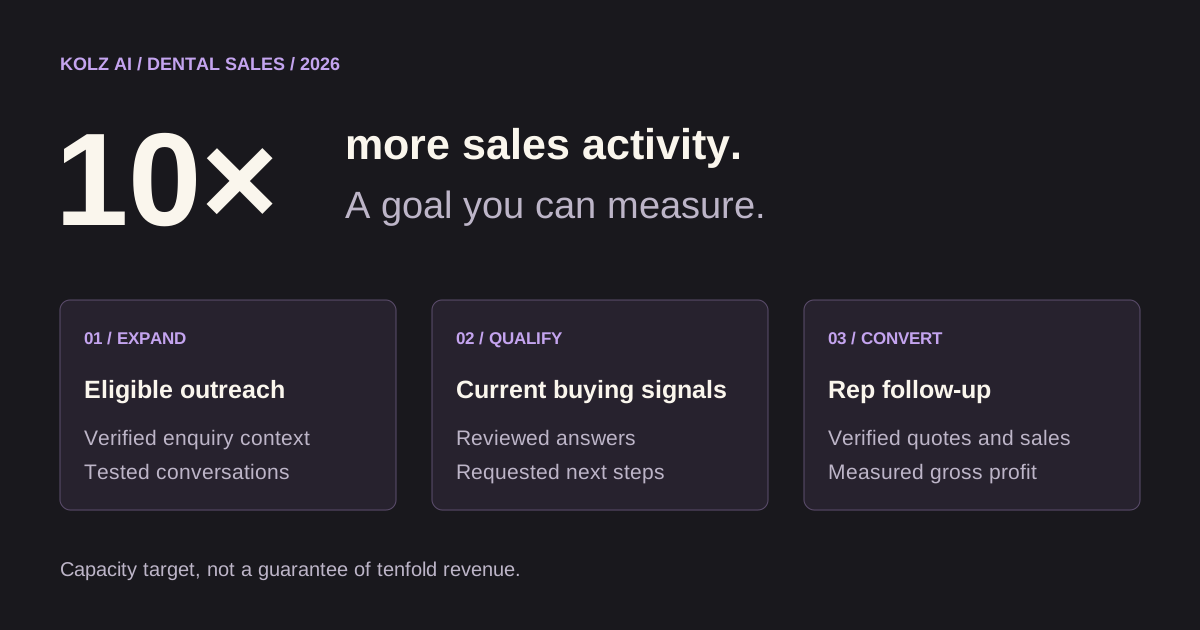
Choose one prepared segment, test the conversation branches and assign someone to review the outcomes. Measure unique contacts reached, requested callbacks, completed rep follow-ups, quotes issued and verified sales. Keep the reporting window visible so an unfinished sales cycle is not mistaken for a failed campaign.
Expand when the conversations are accurate and your team can complete the follow-up. The useful result is a current answer from a real buyer, with enough context for the next conversation.
Frequently asked questions about dental equipment reactivation
What is AI database reactivation for dental equipment sales?
It is a calling workflow for previously engaged business contacts whose equipment enquiries have gone quiet. An AI agent asks whether the verified requirement is still open and records an agreed next step. Reps then handle technical discussions, updated quotes and commercial decisions.
Which dental equipment contacts should we start with?
Start with one segment of verified past enquiries, such as stalled scanner demos, expired imaging quotes or deferred chair upgrades. Preserve the original business context and assess permission for the proposed calls. Size the pilot to your team's review and callback capacity rather than uploading the entire CRM at once.
Do you have measured campaign results?
The published Kolz output example has 1,000 ended call rows, including 275 answered, 517 voicemail, 149 not answered and 59 cut short. It also has 846 rows with transcripts and scores. The example is not confirmed as dental equipment outreach and does not verify unique buyers, sales, revenue or ROI.
Can we use our existing CSV or Excel lead list?
Yes. Prepare eligible business contacts in CSV or Excel, confirm the phone and name mappings and test supported prompt variables with your file. Keep the equipment enquiry, last interaction and contact identifier in your working records. Confirm which columns the current upload and results workflow preserves before matching results back to the CRM.
How much does a reactivation campaign cost?
The usage rate depends on the selected pack and current pricing terms. Estimate billable minutes using current Kolz pricing, then include preparation, review and rep follow-up costs. Use actual billing records after the pilot; do not treat connected conversation minutes or quoted pipeline as verified cost or revenue.
How should AI calls handle DSO or group-practice buyers?
Confirm the person's role and whether purchasing is handled locally or centrally. Capture the stated equipment need, relevant locations and requested next step without assuming that a location contact can authorize a group purchase. Route procurement, configuration and multi-site decisions to the appropriate human rep.
Should we include patient information in the campaign?
No. Keep this workflow about business equipment purchasing and exclude patient names, clinical records, images and treatment histories from uploads and prompts. It is not a patient recall workflow. Test the agent's boundaries, opt-out handling and specialist handoff before launching the pilot.
Start with 100 free minutes · See the database reactivation workflow · Read the campaign setup guide
For the broader sales workflow, explore dental equipment sales in 2026 and the 10× AI sales activity playbook.
Ready to try AI-powered calling?
See how Kolz AI can automate your outbound calls, qualify leads, and scale your customer outreach.
Test with 100 free minutes