Excel to Revenue With Automated Voice Calls
In this piece
Setting up an AI sales floor shouldn't require a degree in software engineering. Discover how the "Excel-In, Excel-Out" workflow allows non-technical business owners to launch automated phone calls and generate high-quality AI leads in minutes, not months.
On this page
The Complexity Problem with AI Calling Technology
There is a dirty little secret in the AI calling technology space that enterprise software vendors actively try to hide: The technology is incredibly difficult to set up.
If you are a real estate wholesaler, the owner of a marketing agency, or a sales leader at a mid-sized B2B firm, your goal is simple: You want to call your list, qualify leads, and close deals. You want to execute automated phone calls at scale to drive revenue.
What you don't want to do is spend three weeks learning how to:
- Configure Serverless Edge Functions
- String together Twilio Webhooks and API endpoints
- Write complex JSON decision trees to parse prospect responses
- Debug latency issues between large language models and telecom providers
Unfortunately, almost the entire first generation of AI voice platforms (like Vapi, Retell, and Bland AI) were built exclusively for developers. They are "API First" platforms. This means that to actually use their powerful voice AI, you have to hire a software engineer to build the "glue" that connects the AI to your business.
This technical barrier has kept the vast majority of non-technical sales teams firmly locked into using outdated manual dialers.
Until now.
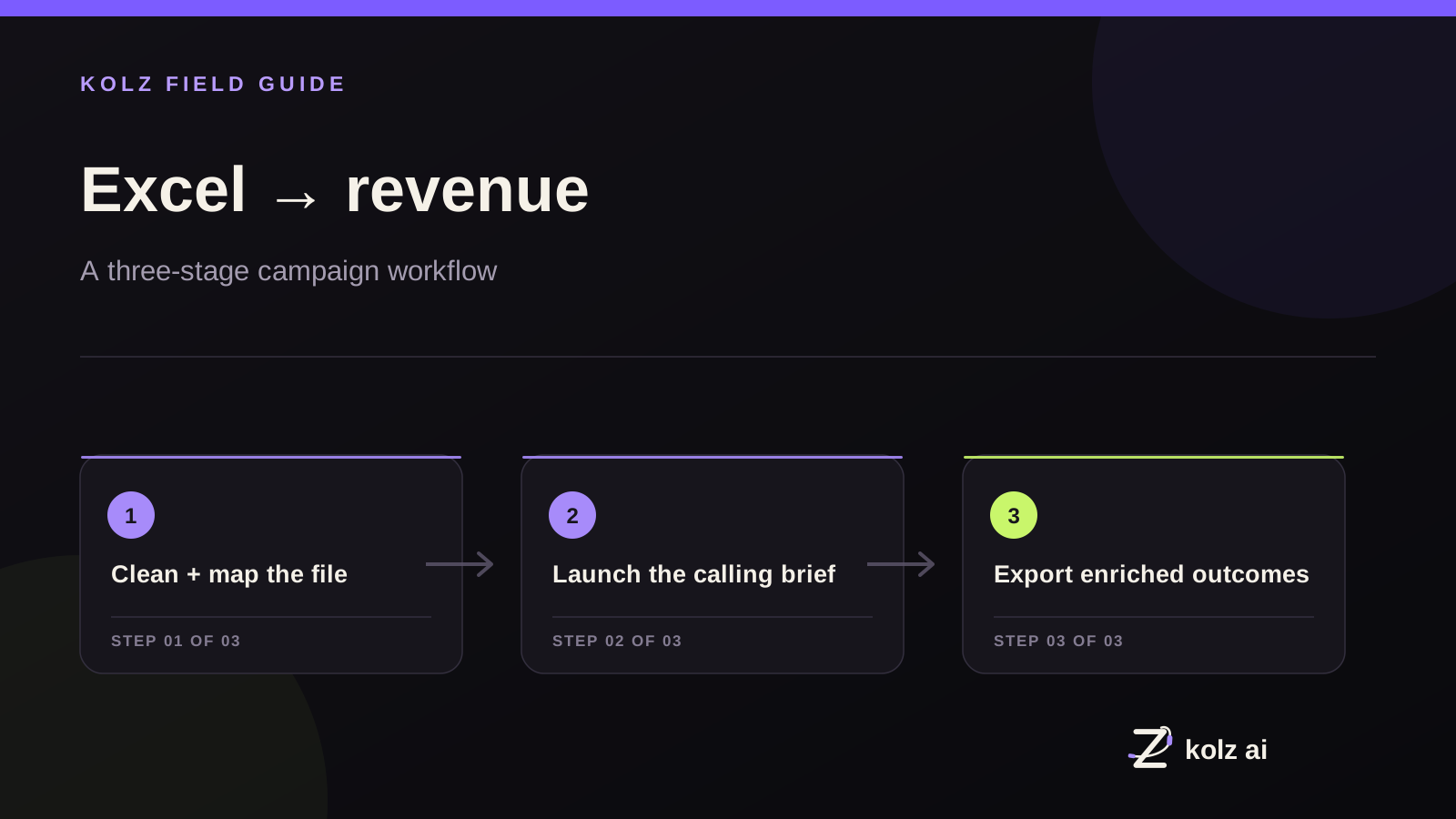
Enter the "Excel-In, Excel-Out" Workflow
At Kolz AI, we recognized that the true power of an AI lead generation campaign is lost if only programmers can launch it. We stripped away the entire API infrastructure and built a no-code workflow for high-volume sales.
We call it the "Excel-In, Excel-Out" pipeline.
It is designed specifically for sales founders who want to leverage the power of an autonomous AI sales floor without looking at a single line of code.
Here is how simple it is to go from a cold list to a row of warm, qualified meetings on your Account Executive's calendar in under 5 minutes:
Step 1: Excel-In (The Upload)
If you run outbound sales, you already have a spreadsheet. Whether it's a CSV exported from Apollo.io, a list of distressed properties for real estate wholesale, or aged insurance leads, the format is the same: A list of names and phone numbers.
With Kolz AI, you simply log into the platform and drag-and-drop your Excel file. There are no CRM API integrations required. There are no webhooks to configure.
Step 2: Select Your AI Persona
Instead of forcing you to build complex decision trees from scratch, you simply select from our pre-built, highly optimized library of AI Sales Assistants.
These personas possess deep knowledge of different industries (Real Estate, B2B SaaS, Solar, Insurance). You can quickly customize the opening line and the primary goal of the call (e.g., "Determine if they are the decision-maker and book a follow-up meeting").
Step 3: Launch Your Automated Phone Calls
You click 'Launch'. Instantly, the Kolz AI platform dials thousands of phone numbers simultaneously.
Because we manage the backend telecom infrastructure and use language models tuned for fast, low-latency voice response, the AI engages your prospects in fluent, natural two-way conversations. It listens to their objections, answers their questions, and actively pursues the goal of the call.
Step 4: Excel-Out (The Revenue Engine)
This is where the magic happens and where AI lead generation actually turns into closed deals.
When the campaign finishes executing your list of 10,000 leads, you do not have to parse complex JSON data logs or read raw API transcripts.
You simply download an Enriched Excel File.
Kolz AI returns your exact original spreadsheet, but the AI has appended critical new columns of intelligence to every single row:
- Call Status: (E.g., "Voicemail," "Interested," "Wrong Number," "Hung Up").
- AI Lead Score: The AI automatically models the conversation and flags the lead as "Hot," "Warm," or "Cold."
- Conversational Summary: A concise 2-sentence summary of what the prospect said and what the objection was.
- Recording Link: A direct link to listen to the audio playback of the call.
How Your Human Closers Use This Data
Instead of making 150 dials a day on a manual dialer just to find one interested prospect, your human Account Executives simply open the "Excel-Out" file every morning.
They filter the "Lead Score" column for precisely the leads marked "Hot." They read the quick 2-sentence conversational summary the AI wrote, and they pick up their phone to close the deal.
Excel to Revenue. None of the code, all of the scale.
Stop Coding, Start Closing
You are running a sales organization, not a software development agency. The technology should mold around your existing workflow, not the other way around.
By leveraging a simple, spreadsheet-based AI pipeline like Kolz AI, you can completely sidestep the complexity of modern automated phone calls. You get an AI SDR team that scales to the size of your list, at a flat rate of $0.03 per minute, with a learning curve of literally a few minutes.
The API era of AI sales is over. The "Excel-In, Excel-Out" era has arrived.
Upload your first spreadsheet at Kolz AI today.
Reconnect with your existing database
Explore AI database reactivation to upload a CSV, qualify renewed interest and review scored results. For planning, read the old-lead reactivation guide and ROI calculator.
Watch the Excel-in, Excel-out workflow
Watch the Prompt Wizard build a campaign
Ready to try AI-powered calling?
See how Kolz AI can automate your outbound calls, qualify leads, and scale your customer outreach.
Test with 100 free minutes